BadWolf
2013-07-10 |  | Chrome Guide |  |
Please do not post in this thread
Anfits Mods Chrome Extension Download
Chrome Install Guide:-
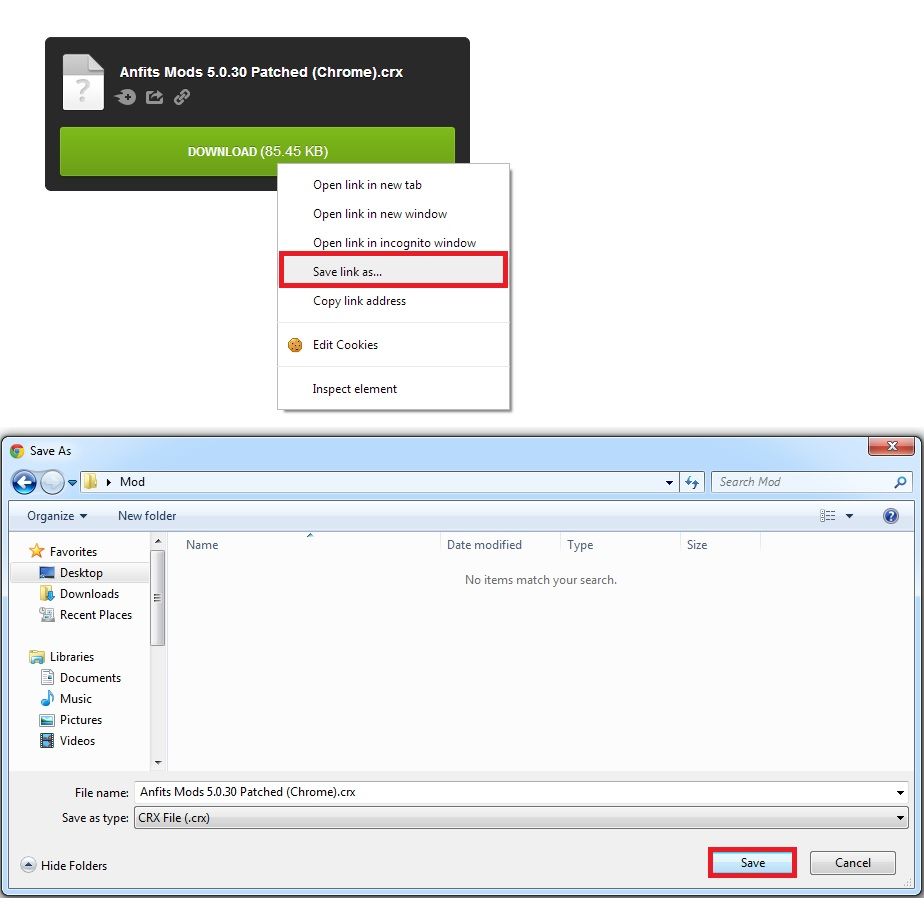
Step One Download the file from mediafire.. You`ll need to save link as.
Example Below:-
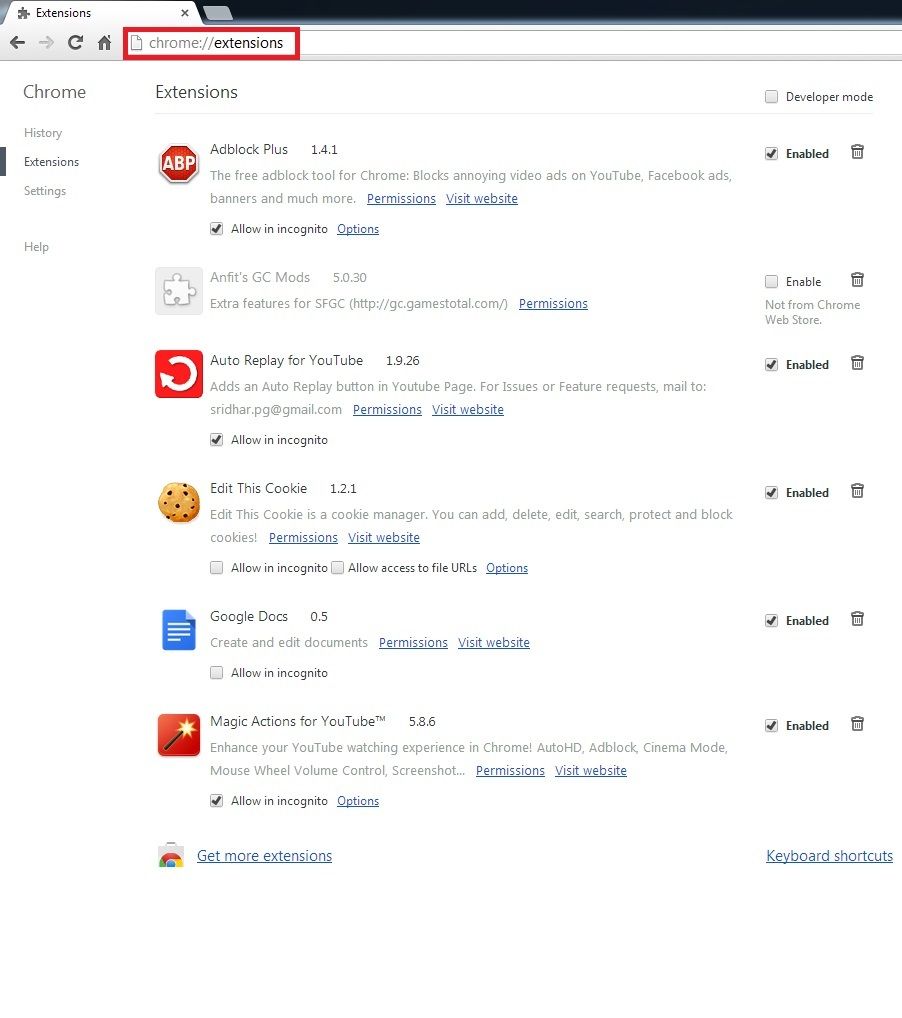
Step Two open the location chrome://extensions/ in the address bar
You should see something like the below:-
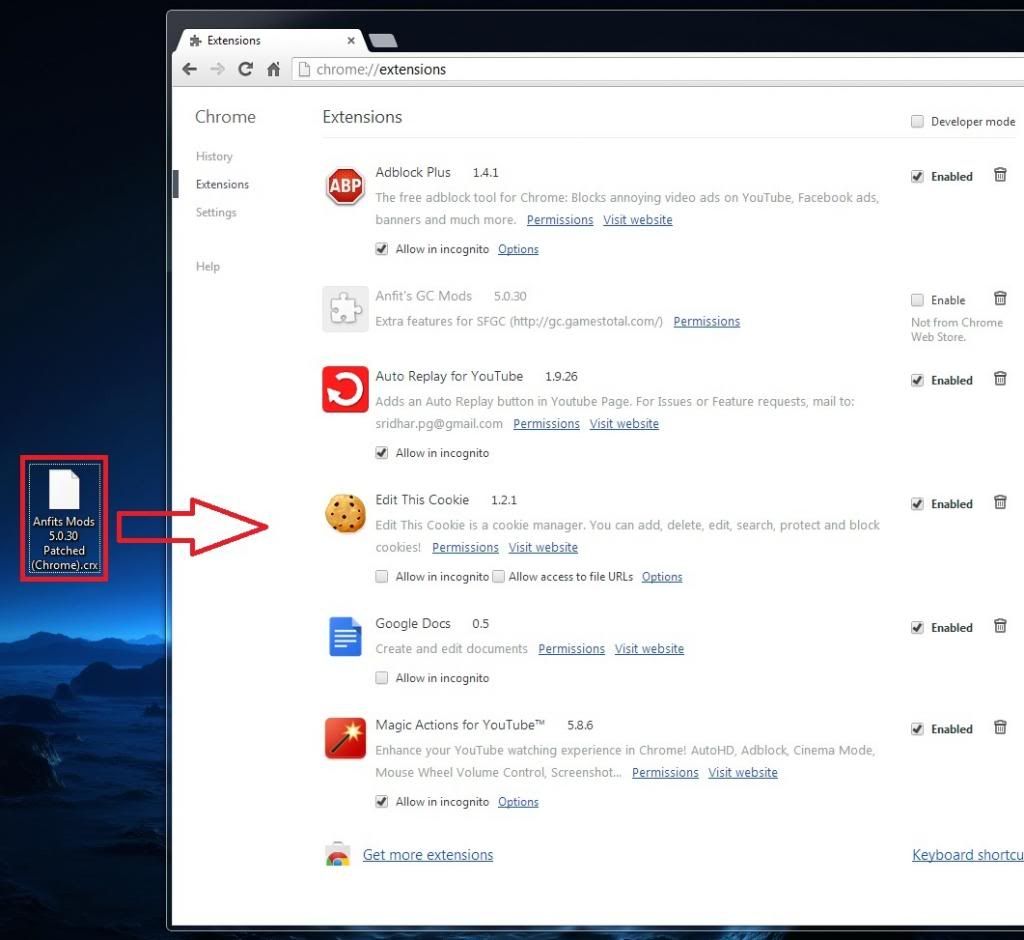
Step Three Drag `n Drop the file you saved from mediafire into extensions
Example Below:-
Step Four Select Add to complete the install of the patched extension
Example Below:-

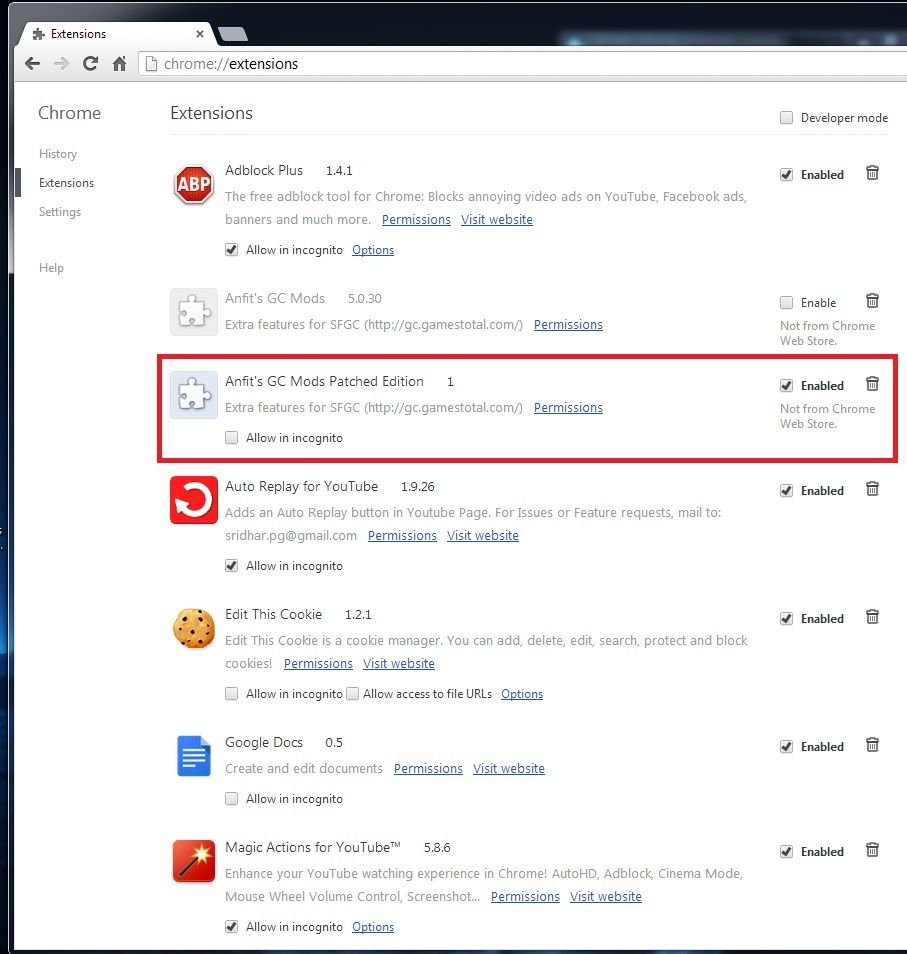
Final Step if everything went according to what i stated above you should see this under extensions now
Edited by BadWolf on 2013-07-10 |
|
xHalt
99+ day(s) ago | If you get the crx-header error or if the drag-and-drop to install didn`t work, here`s an alternative:
You can extract the download .crx file with 7-zip or a similar program (no need to rename it to .zip). You`ll end up with a folder.
Go to chrome://extensions/ and enable Developer mode.
On the top left corner, you can click `Load unpacked`.
Selected the unpacked folder and "Anfit`s GC Mods Patched Edition 1" should appear in the list. |
ArchAng3l
99+ day(s) ago | Sorry, chrome disabled the extension after restarting.
If you are expert computer user, you can try the editing group policy method.
https://productforums.google.com/forum/#!topic/chrome/9NlMAr6uEVc
You will need to remove and reinstall the extension after editing the group policy. And every time you launch chrome, you will still need to enable to anfit extension manually. Still a hassle, no choice. |
ArchAng3l
99+ day(s) ago | For info, I install this on latest chrome version (Version 42.0.2311.135 m). Worked perfectly :D |
wolf359
99+ day(s) ago | Works awesome. thanks |


